Get Ink gives you different ways to show clients when you're free: available slots on your profile and appointment offers sent directly to a client. You choose what to share and when - your full calendar always stays private.
📅 Available slots
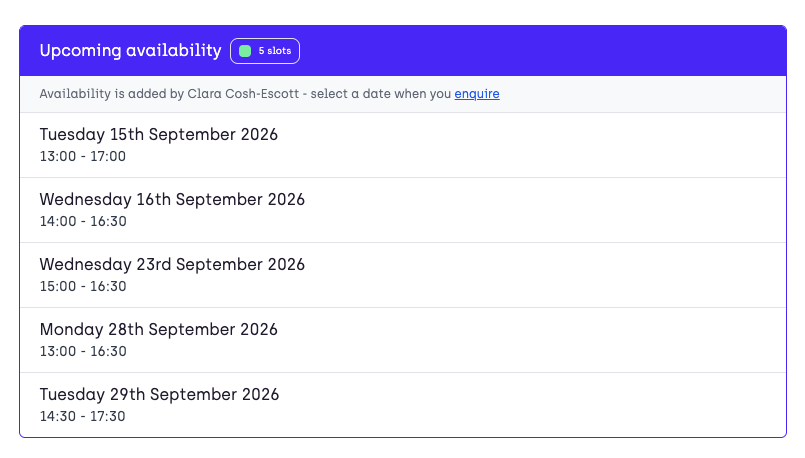
These are completely optional. Add dates and times when you're free and they appear on your profile under Upcoming availability.
Clients browsing your profile can see at a glance when you next have space. They can enquire directly for a date that works for them, cutting down the back and forth of finding a time that suits you both.
Use this however it fits your diary. Add a handful of gaps you want to fill, or showcase your full availability for the coming weeks and months.
🗓️ Preferred days
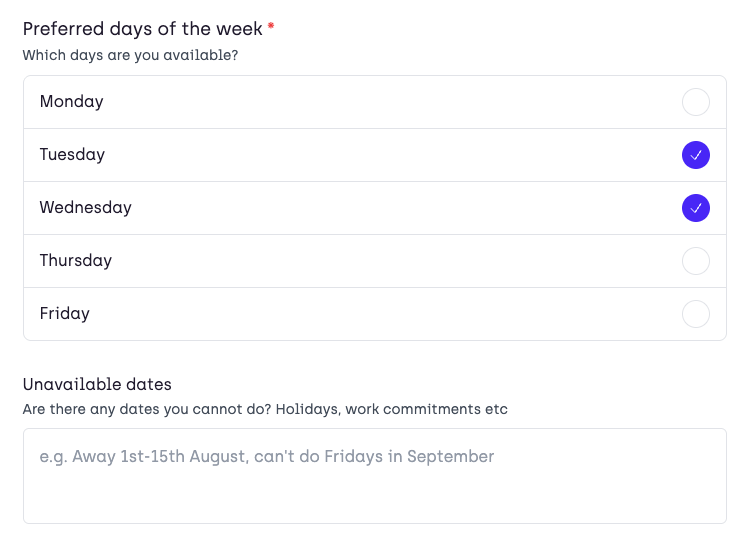
When a client fills out your enquiry form, they can choose which days of the week suit them best, based on the days you've set as available. They can also add any dates they can't do, like holidays or work commitments.
✍️ Appointment offers
If you're on the Pro plan, you offer a client a choice of dates and times as part of an appointment offer.
They get sent a personal link showing only the dates and times you've picked for them. They choose the one that works and pay a deposit to confirm the appointment.
🔒 Your calendar stays private
Clients can never see your full calendar. The only dates they'll ever see are the ones you've chosen to share, either through available slots or through an appointment offer.
